Project
H8 touchscreen
UX and UI design
Interface development
Desktop simulator
Testing on the machine
2026
The task
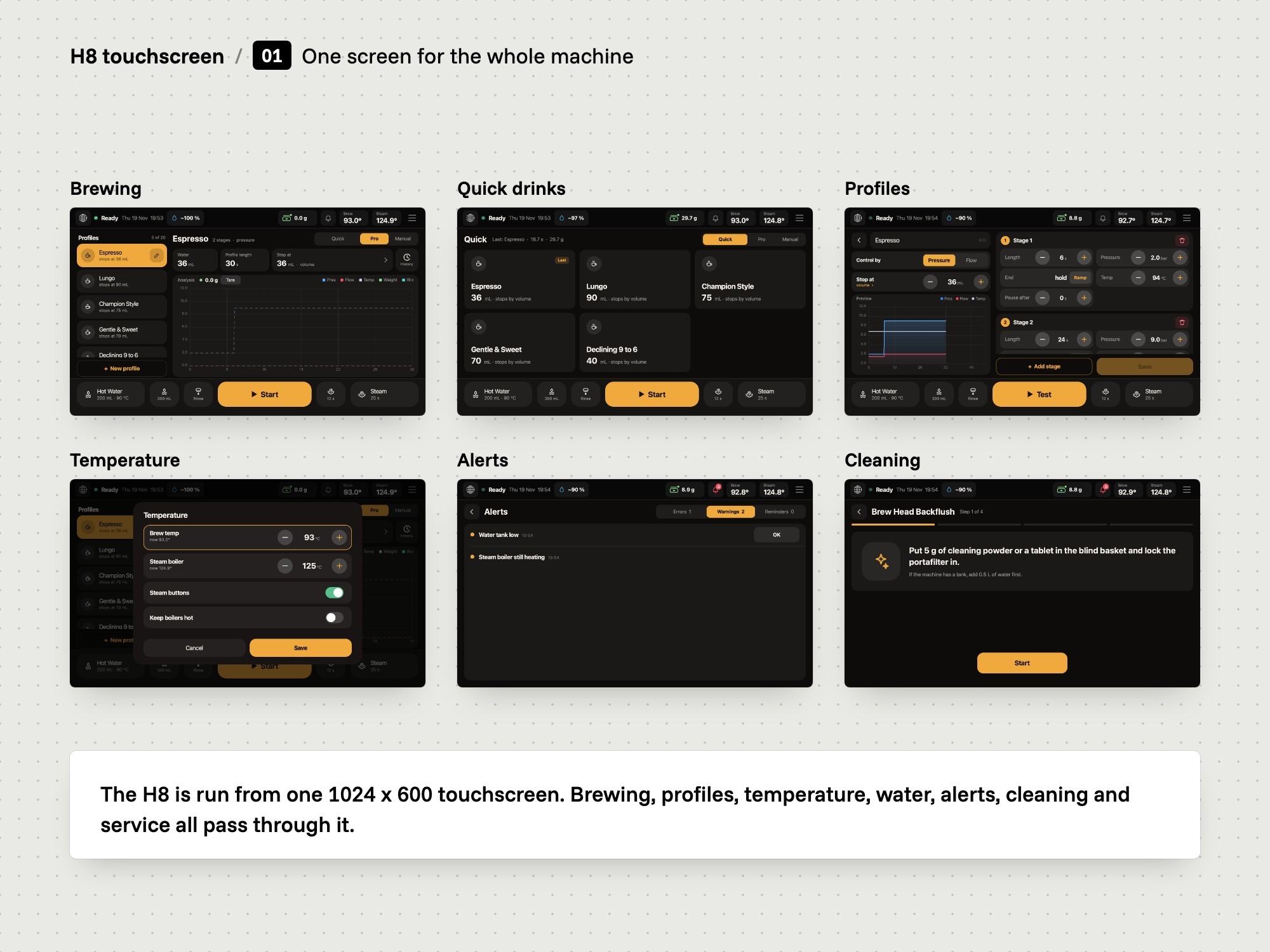
Vellutto is a store in Bussum, the Netherlands, for espresso equipment. It asked us for a trial of a new touchscreen interface on the H8 espresso machine. The H8 is run from one 1024 x 600 touchscreen: brewing, profiles, temperature, water, alerts, cleaning and service settings.
We designed and built a new interface for the whole machine, from the home screen to the service pages. The newest build, from 3 November 2026, runs on the machine.
The limits
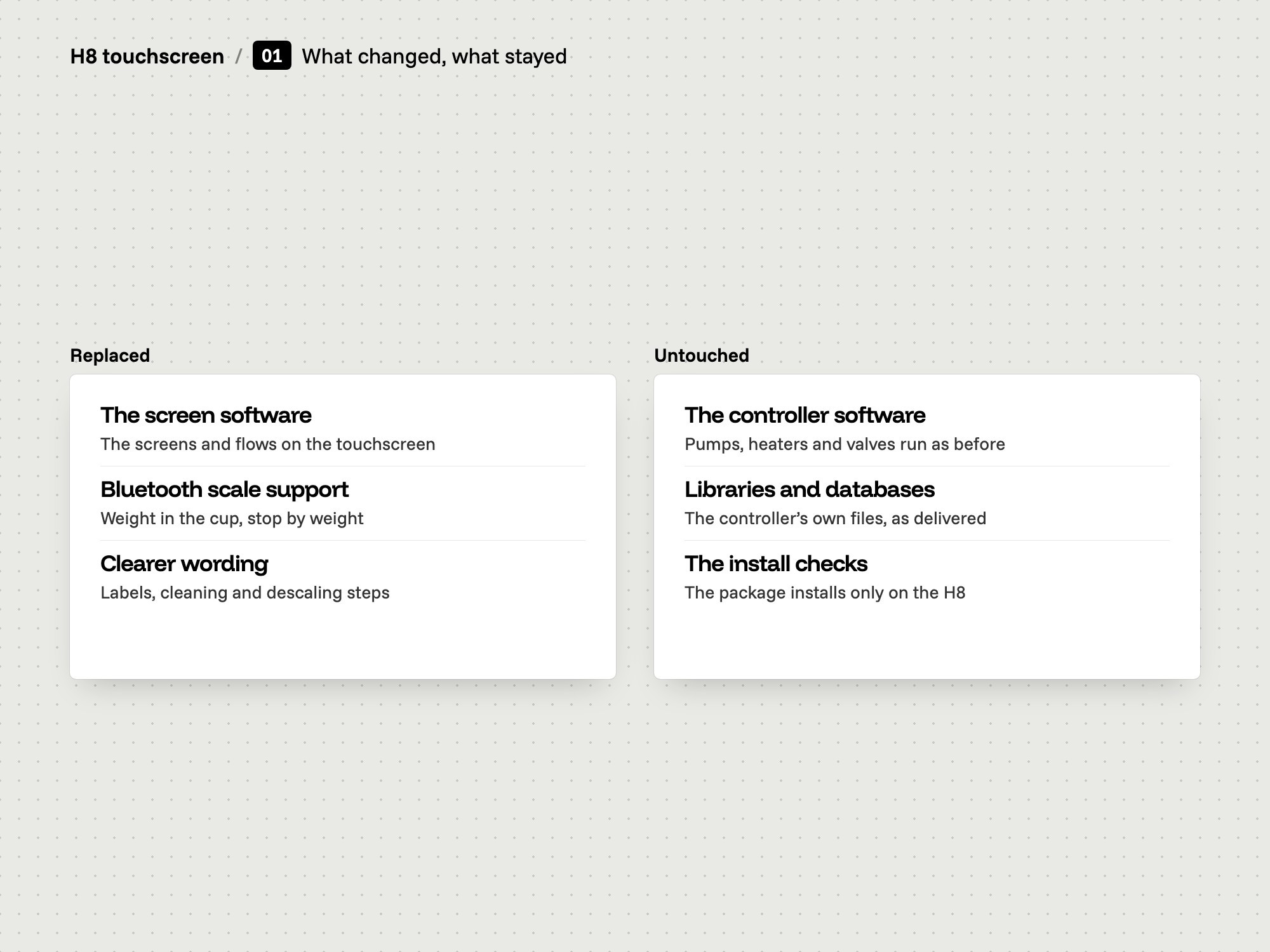
The H8 has two parts inside. One runs the touchscreen. The other controls pump, valves and heat. We replaced only the screen software. The machine's controller software is untouched, and the interface runs on the machine's own touchscreen.
What we had to solve
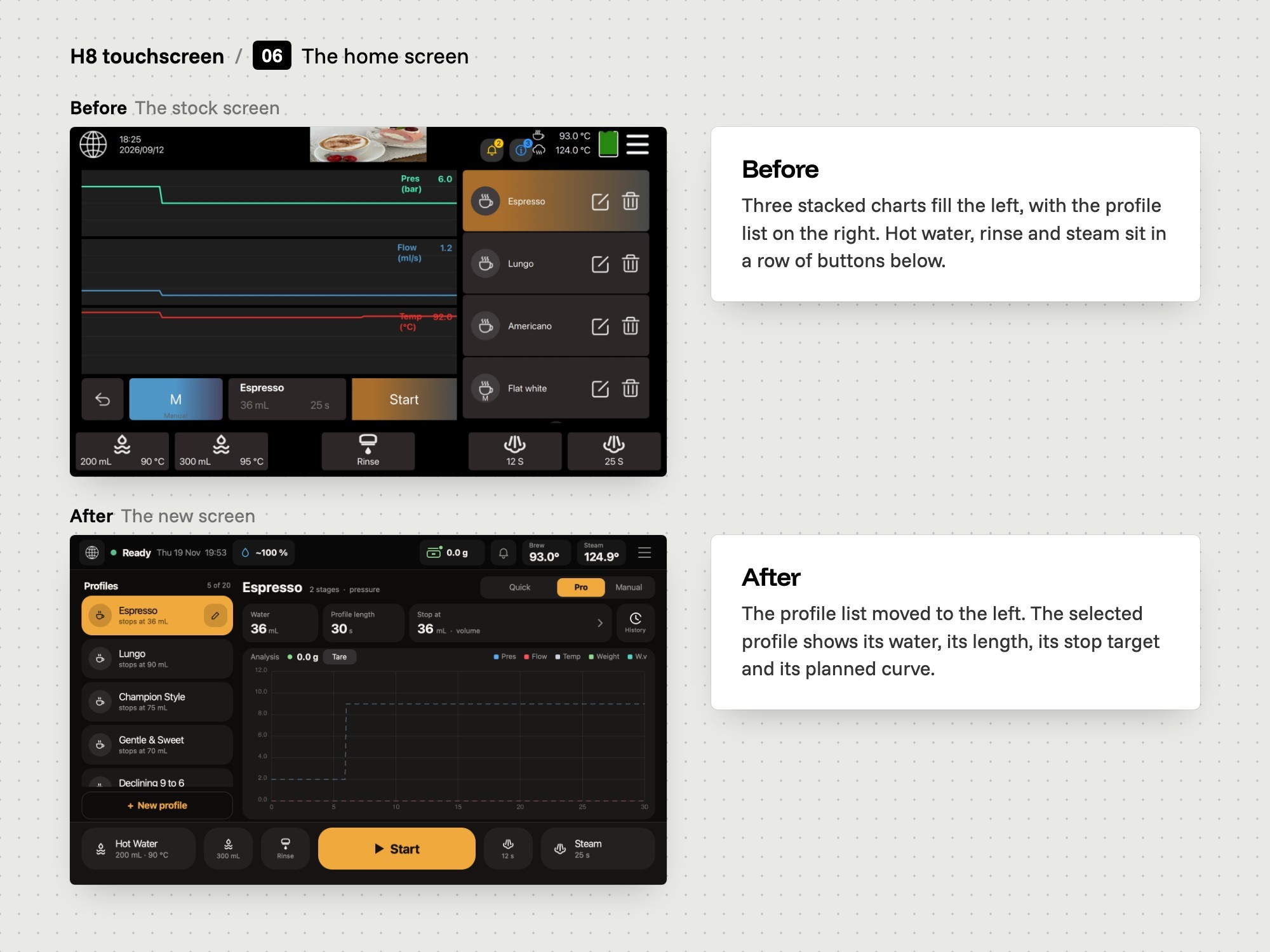
Before a shot you need the profile, its plan and the state of the machine, so the home screen shows all three, with one Start button in a dock that stays in place.
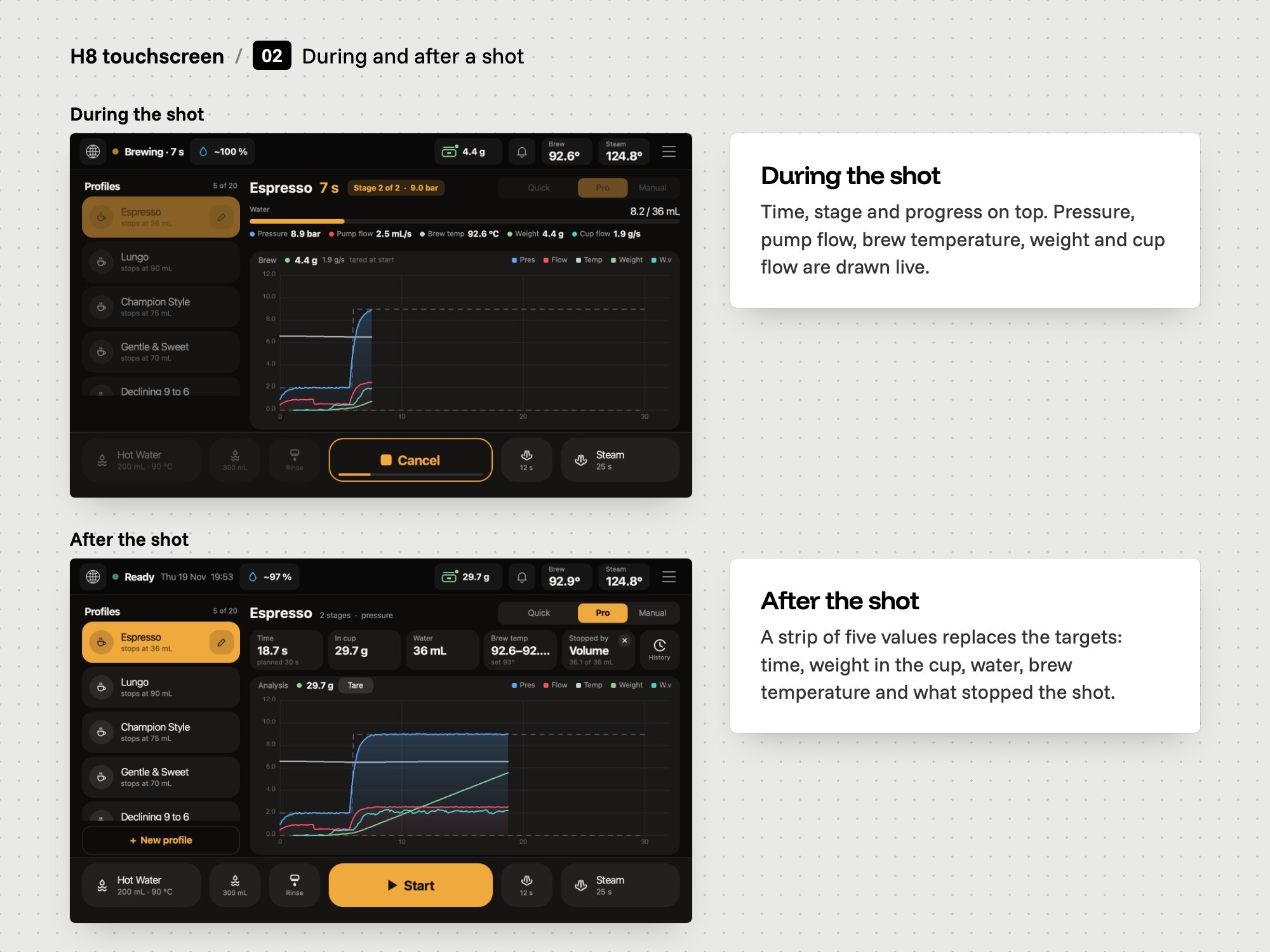
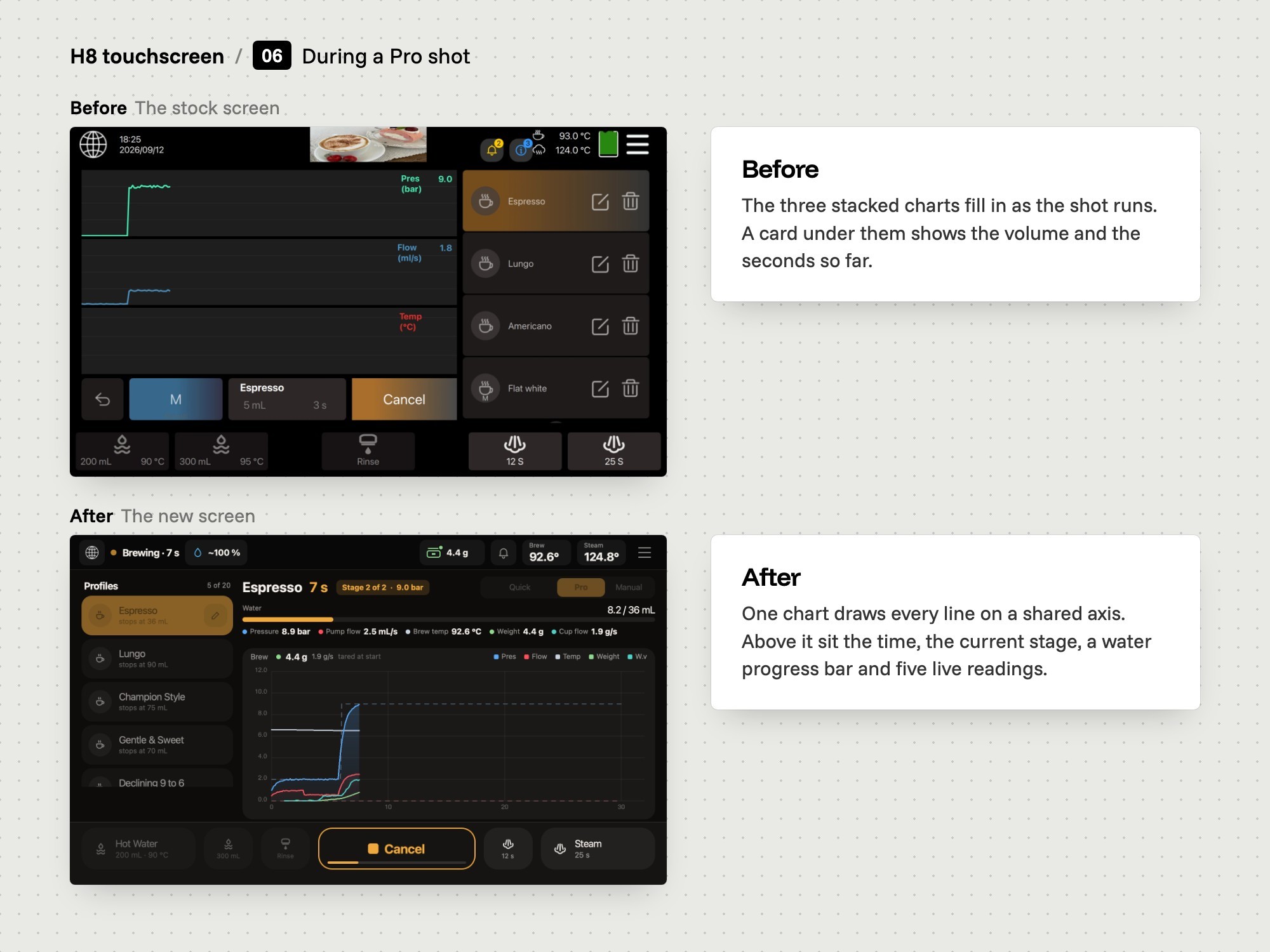
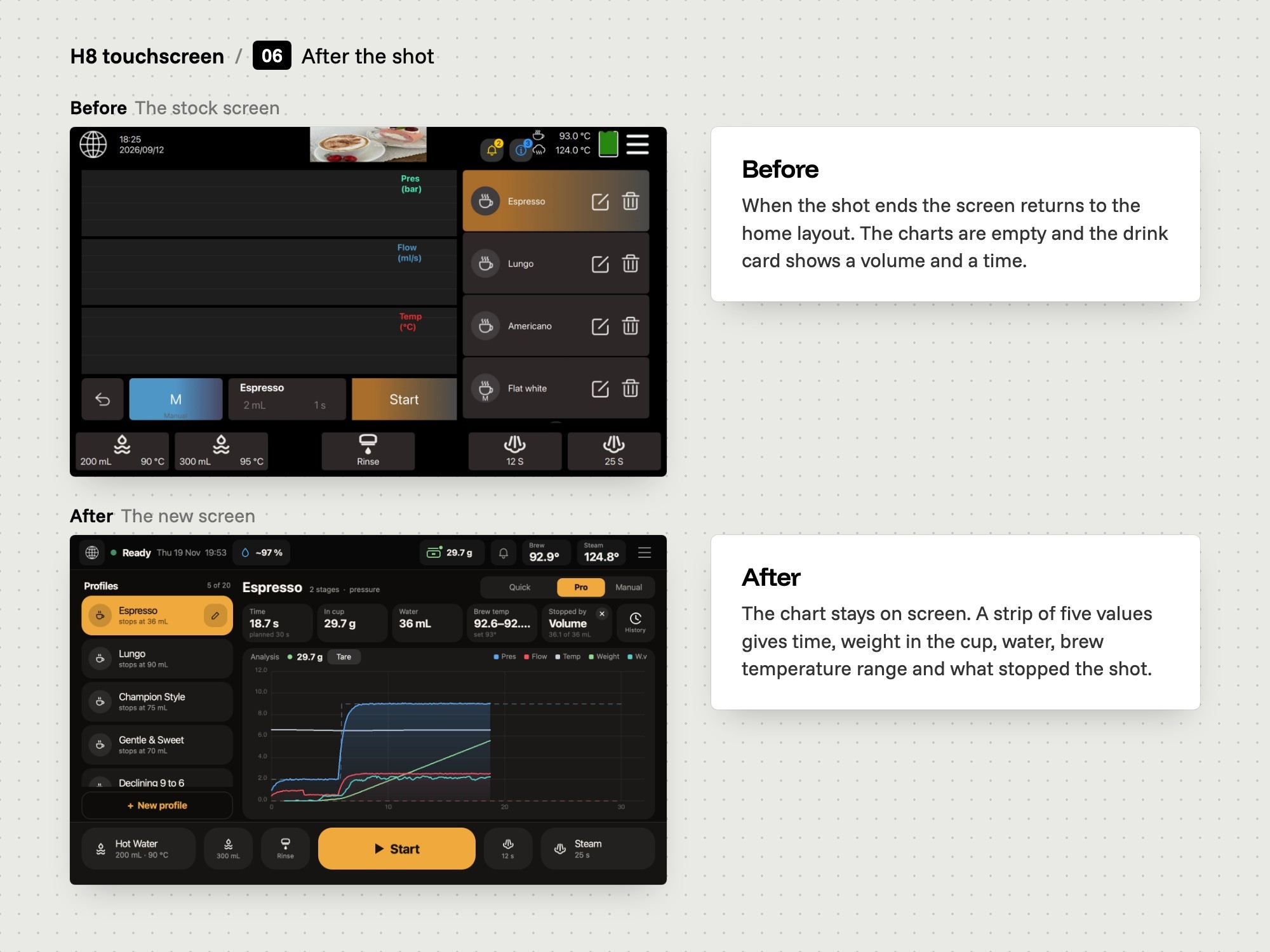
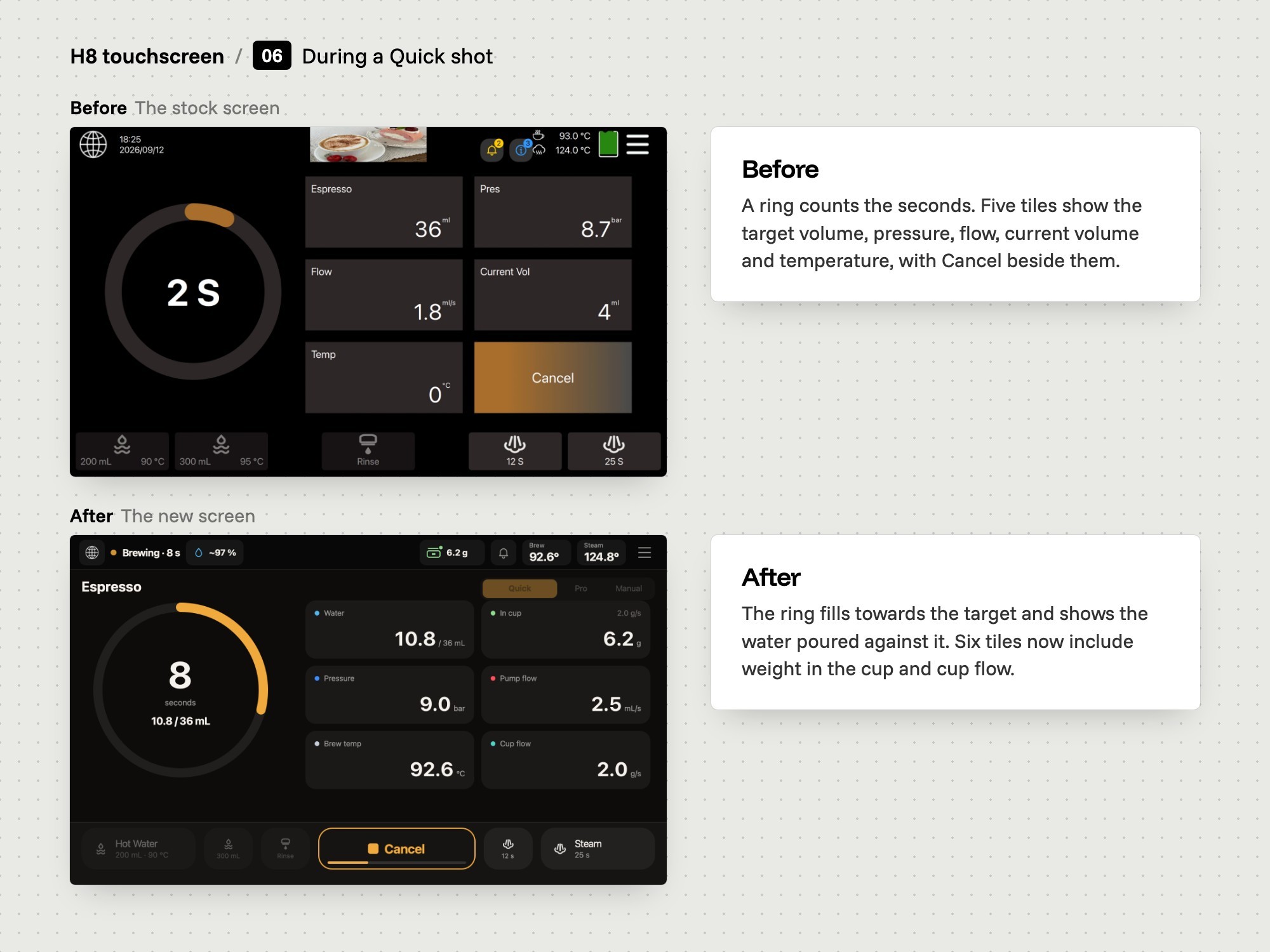
A shot is over in well under a minute, so the screen draws pressure, flow, weight and temperature live and keeps the result on screen afterwards.
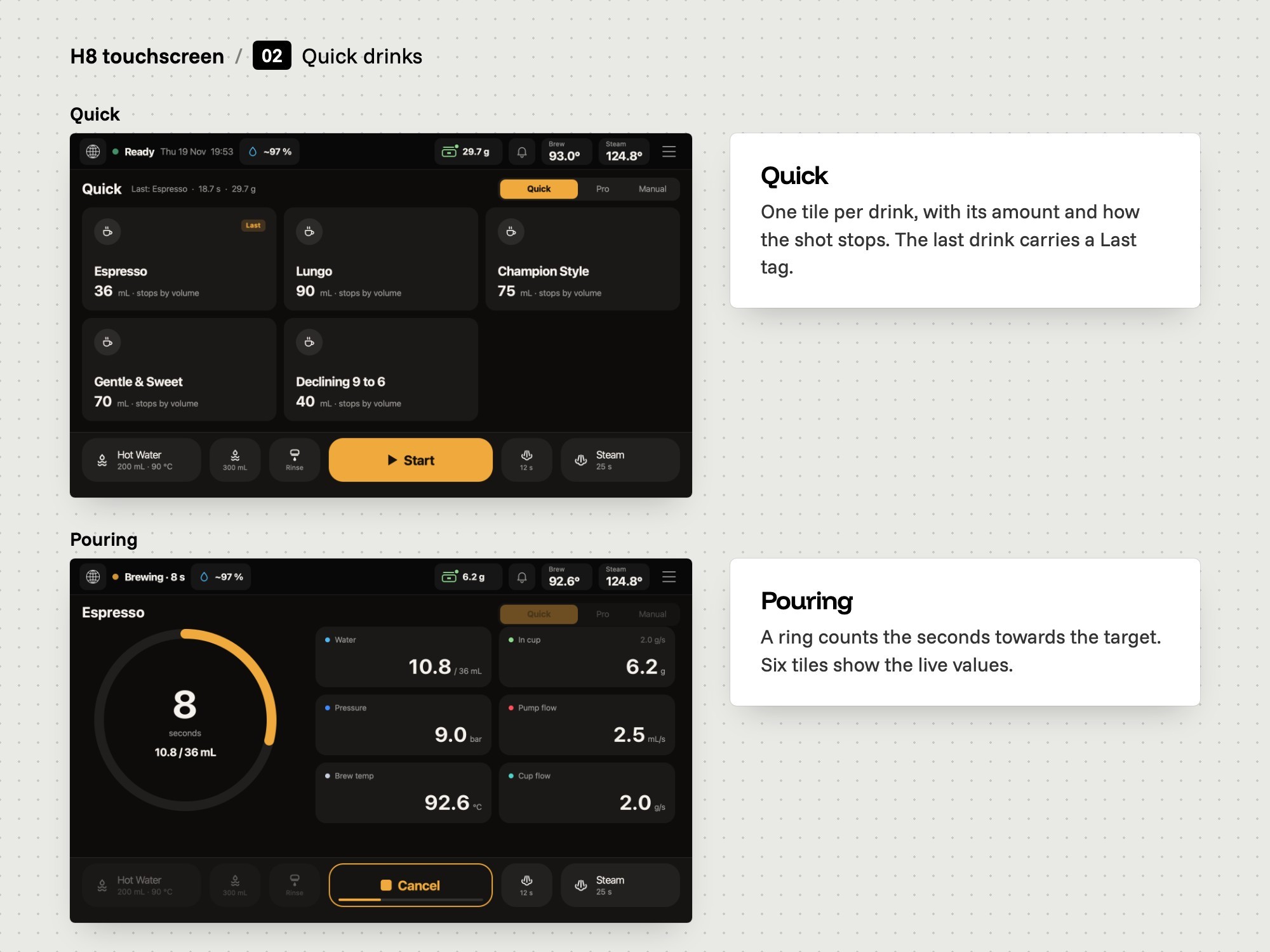
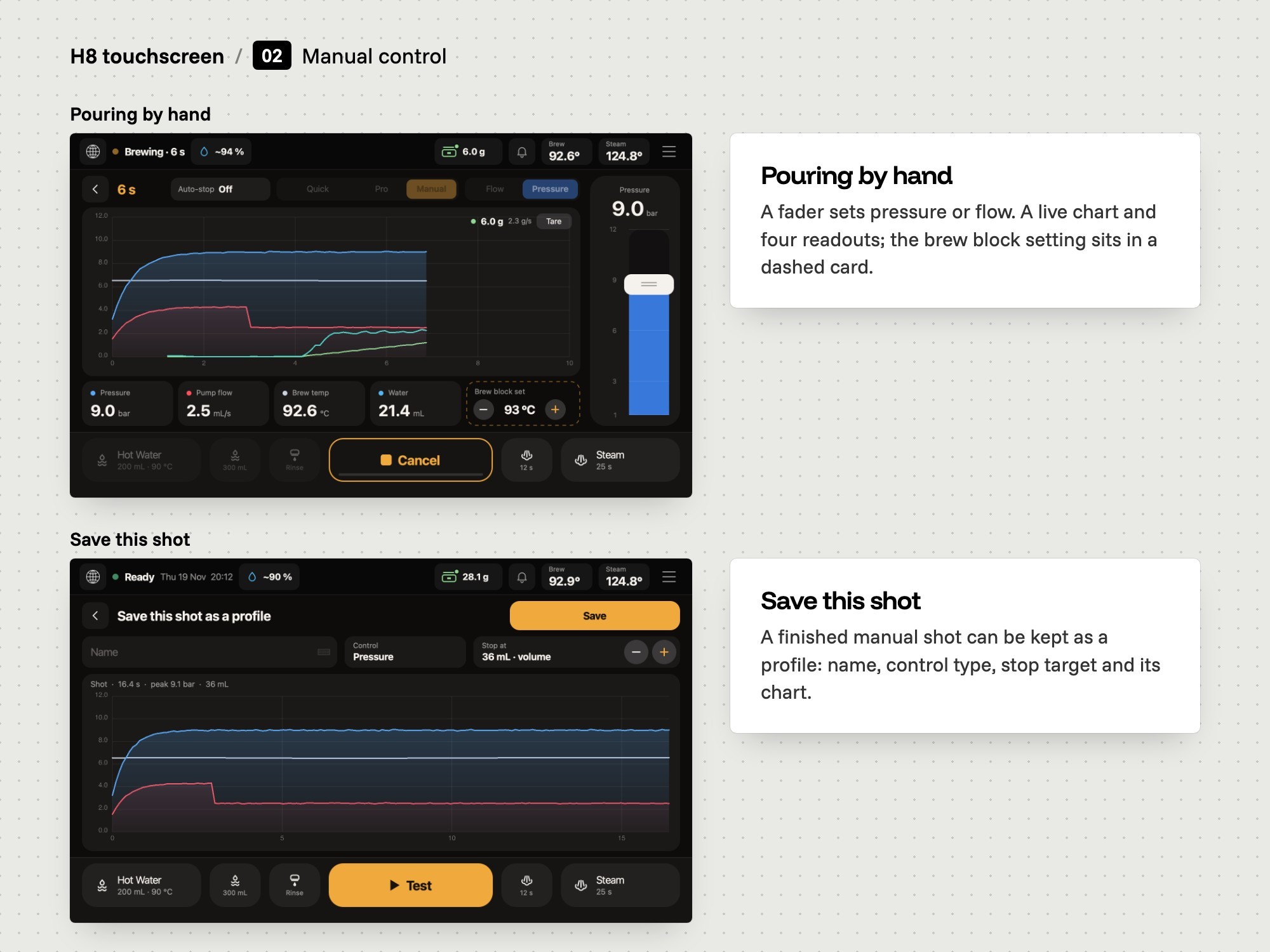
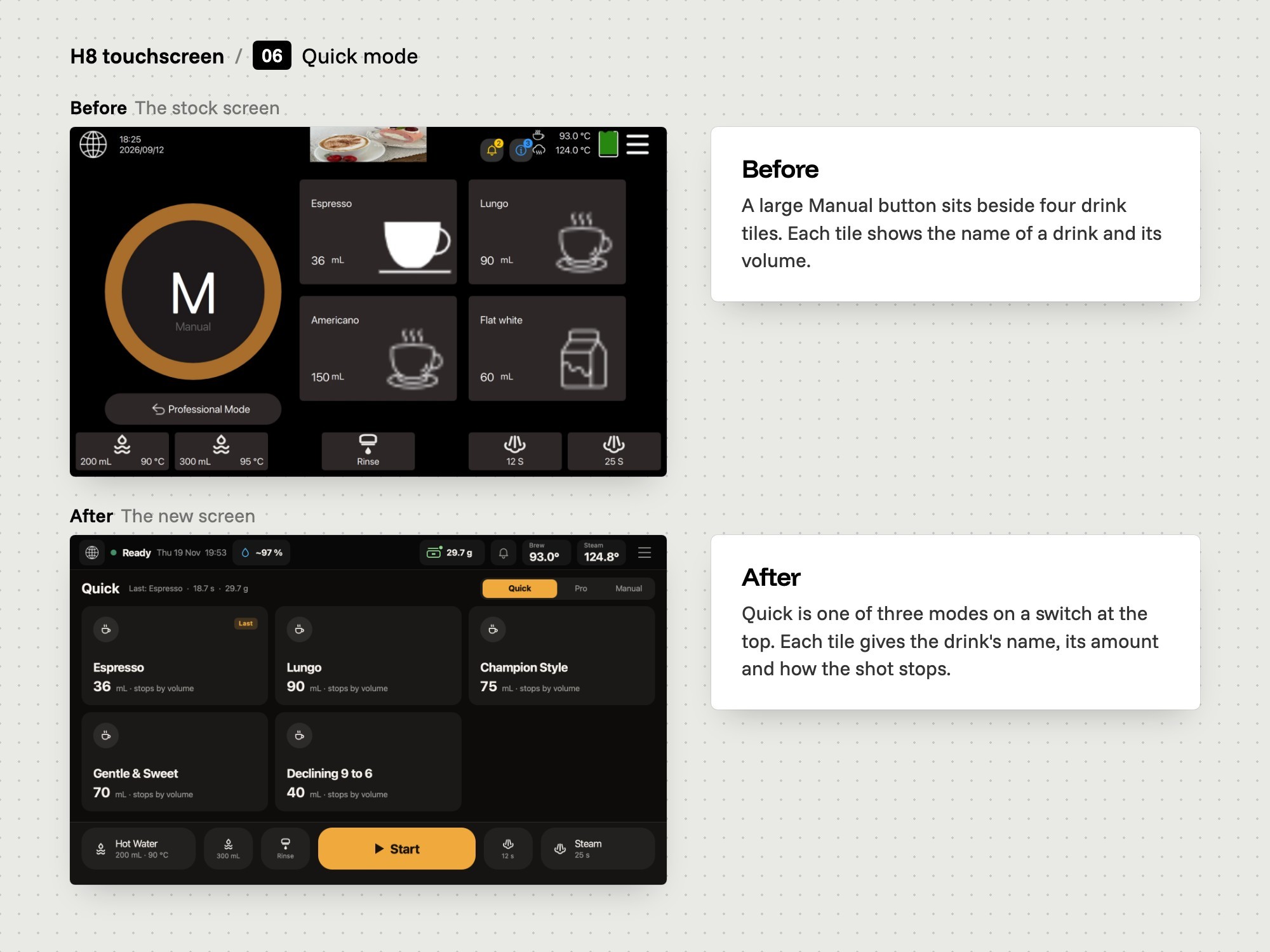
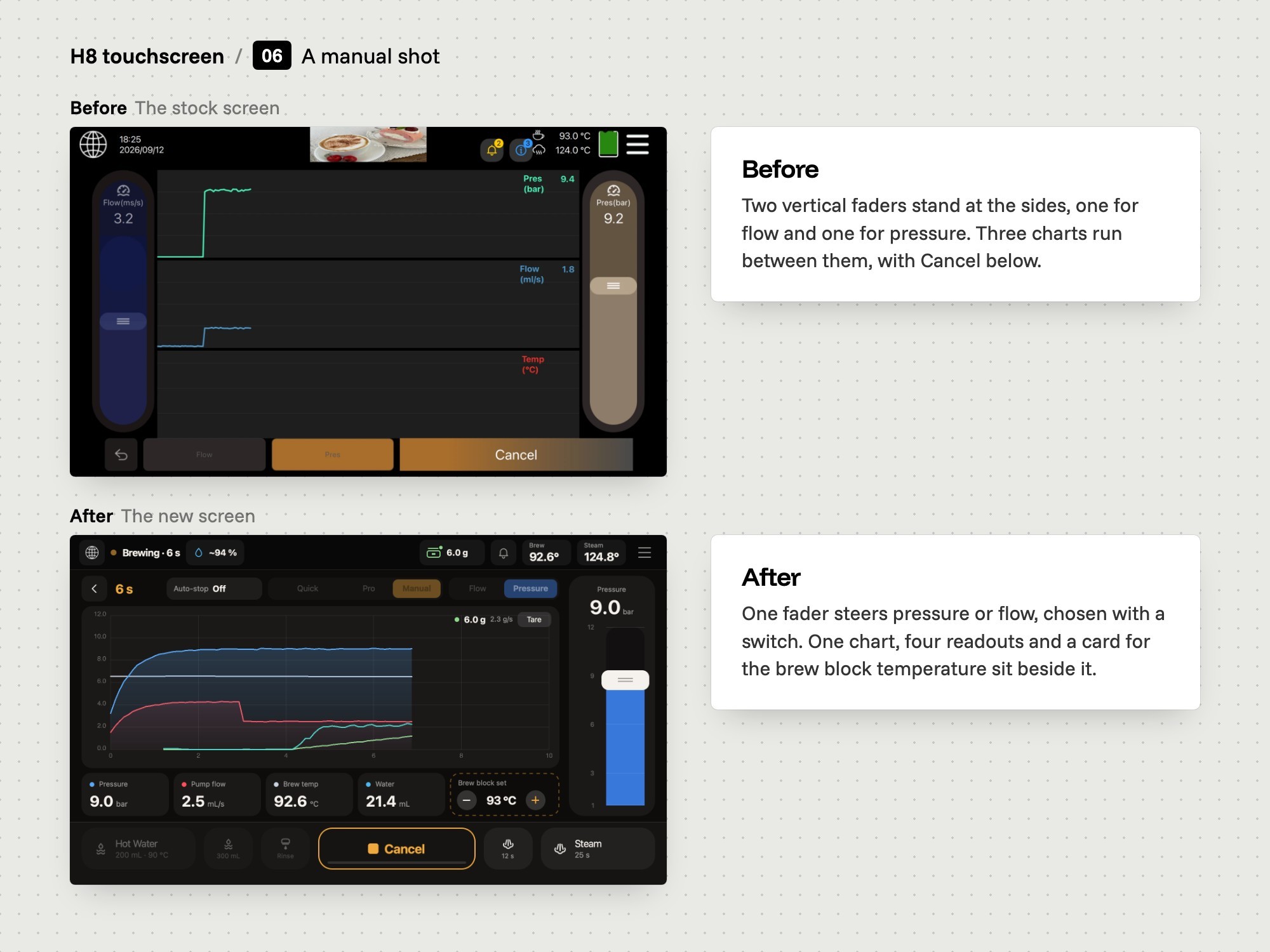
Not everyone wants a chart, so Quick shows each drink as one tile and Manual gives a fader for pressure or flow.
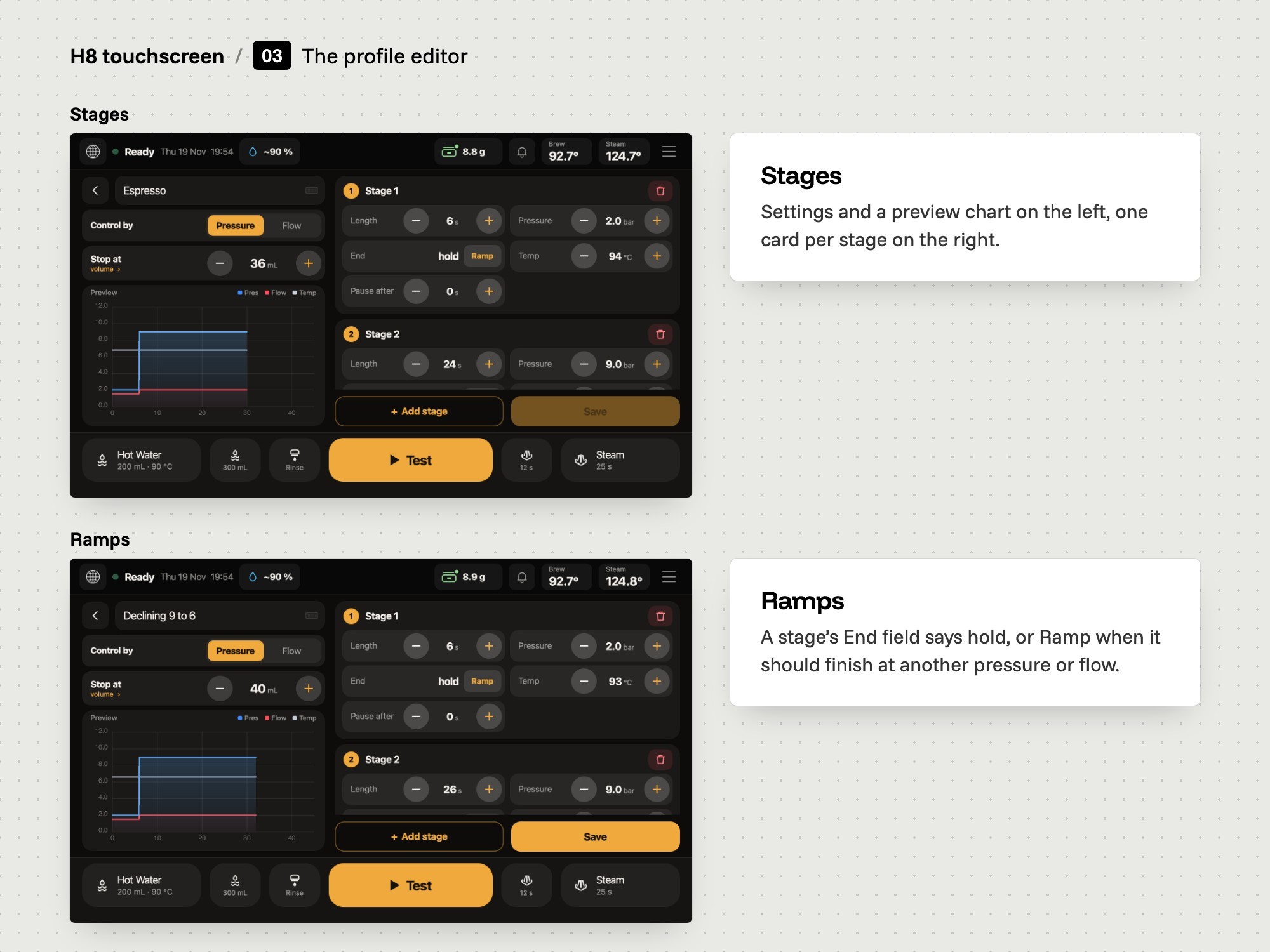
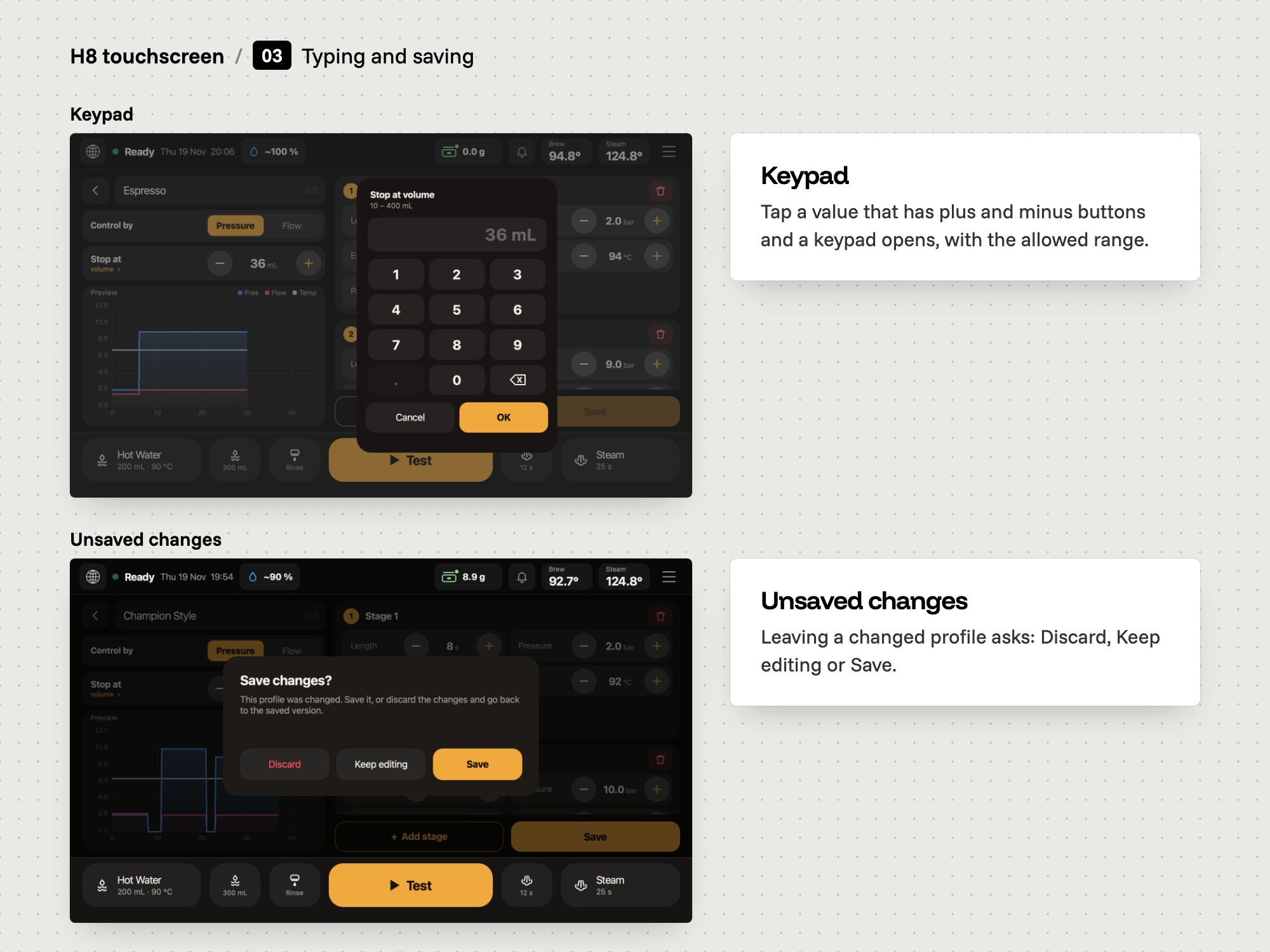
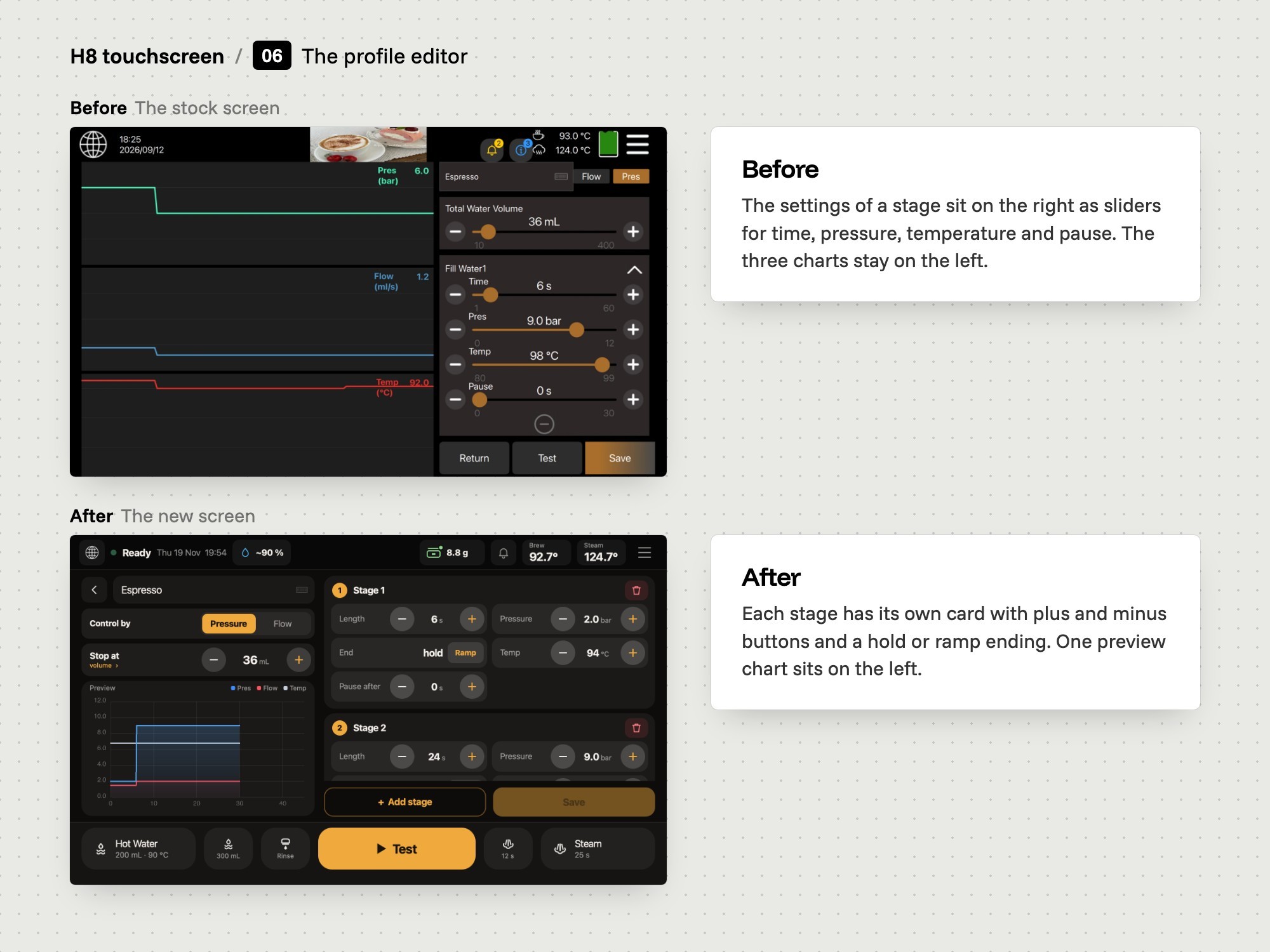
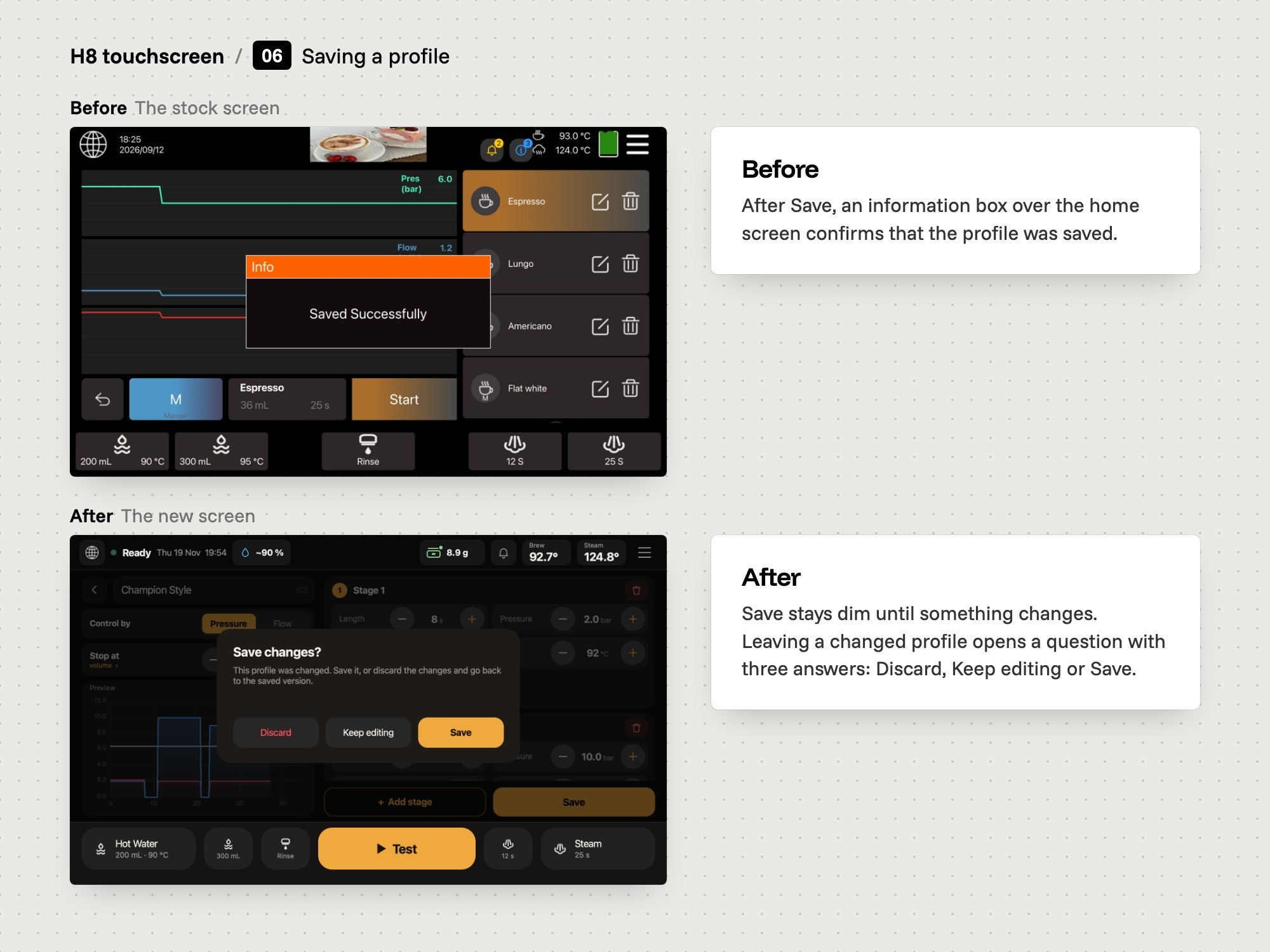
A profile has several stages, so the editor shows one card per stage with a preview beside it, and asks before changes are lost.
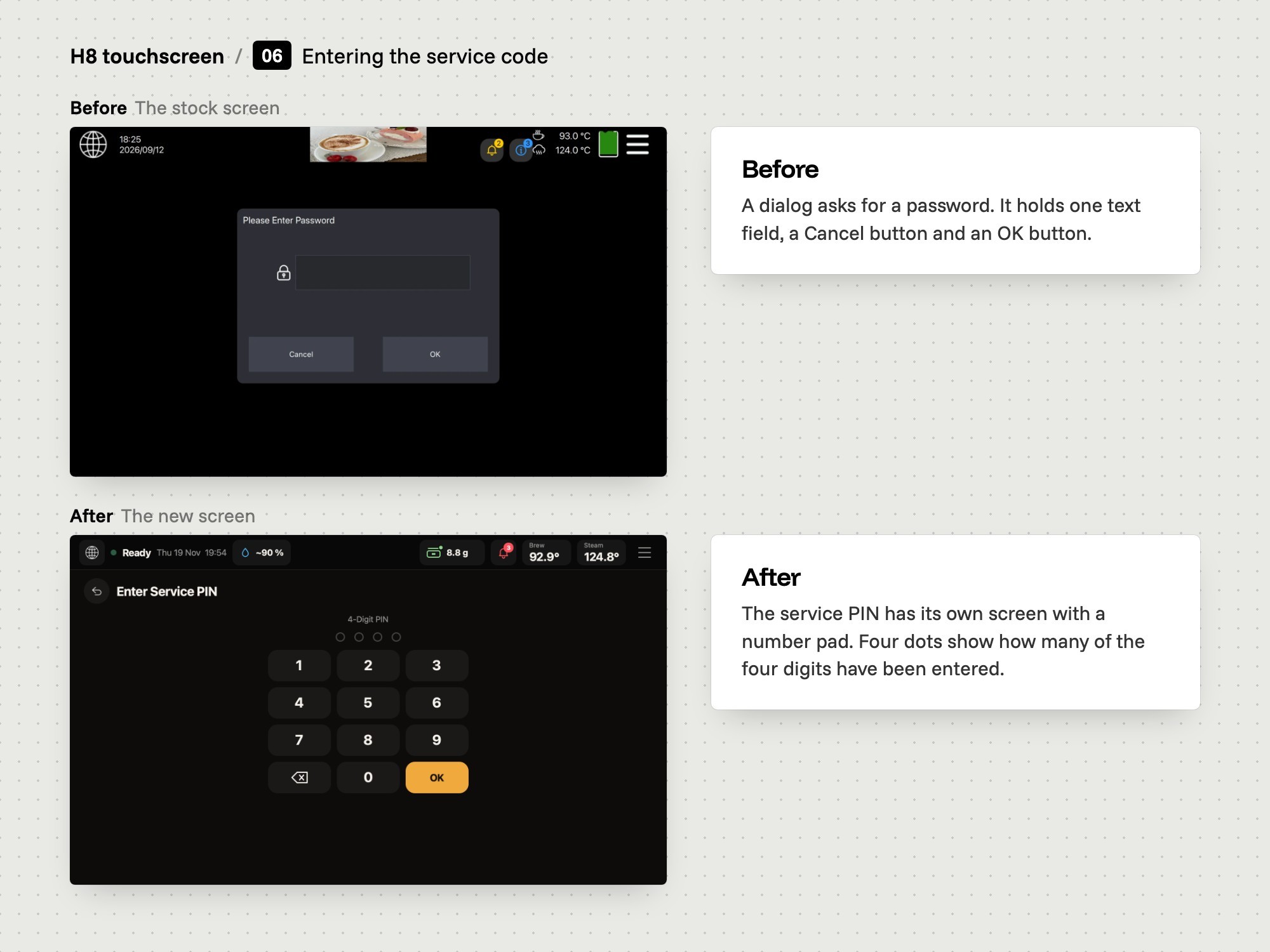
Stepping to a number can take many taps, so a value can be typed on a keypad.
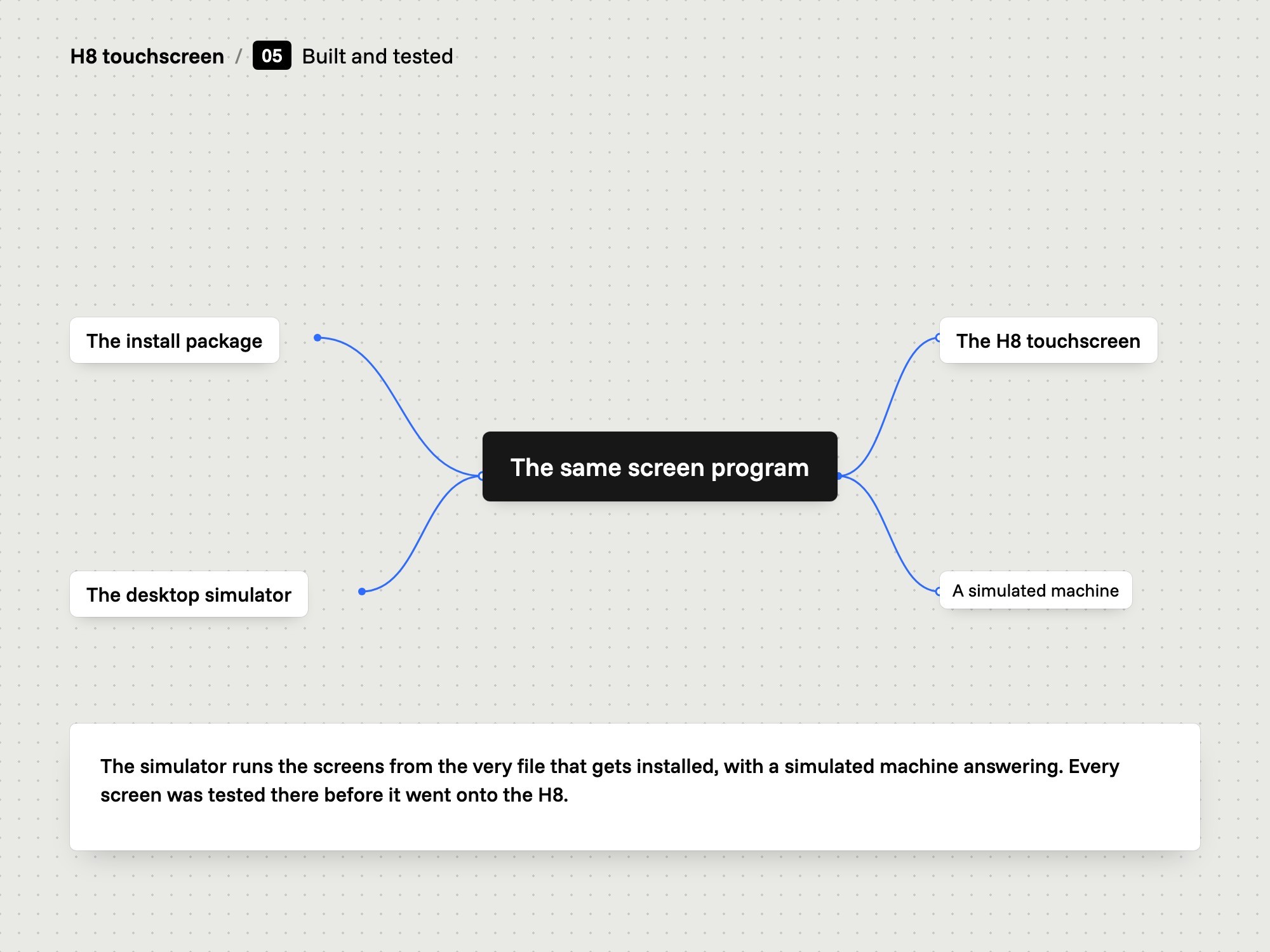
A coffee machine is a slow place to test a screen, so we built a desktop simulator that runs the same file that is installed on the machine.
The brief
Vellutto asked for a trial of a new touchscreen interface on the H8 espresso machine. Only the screen software could change. The machine's controller software stayed untouched.
Brewing
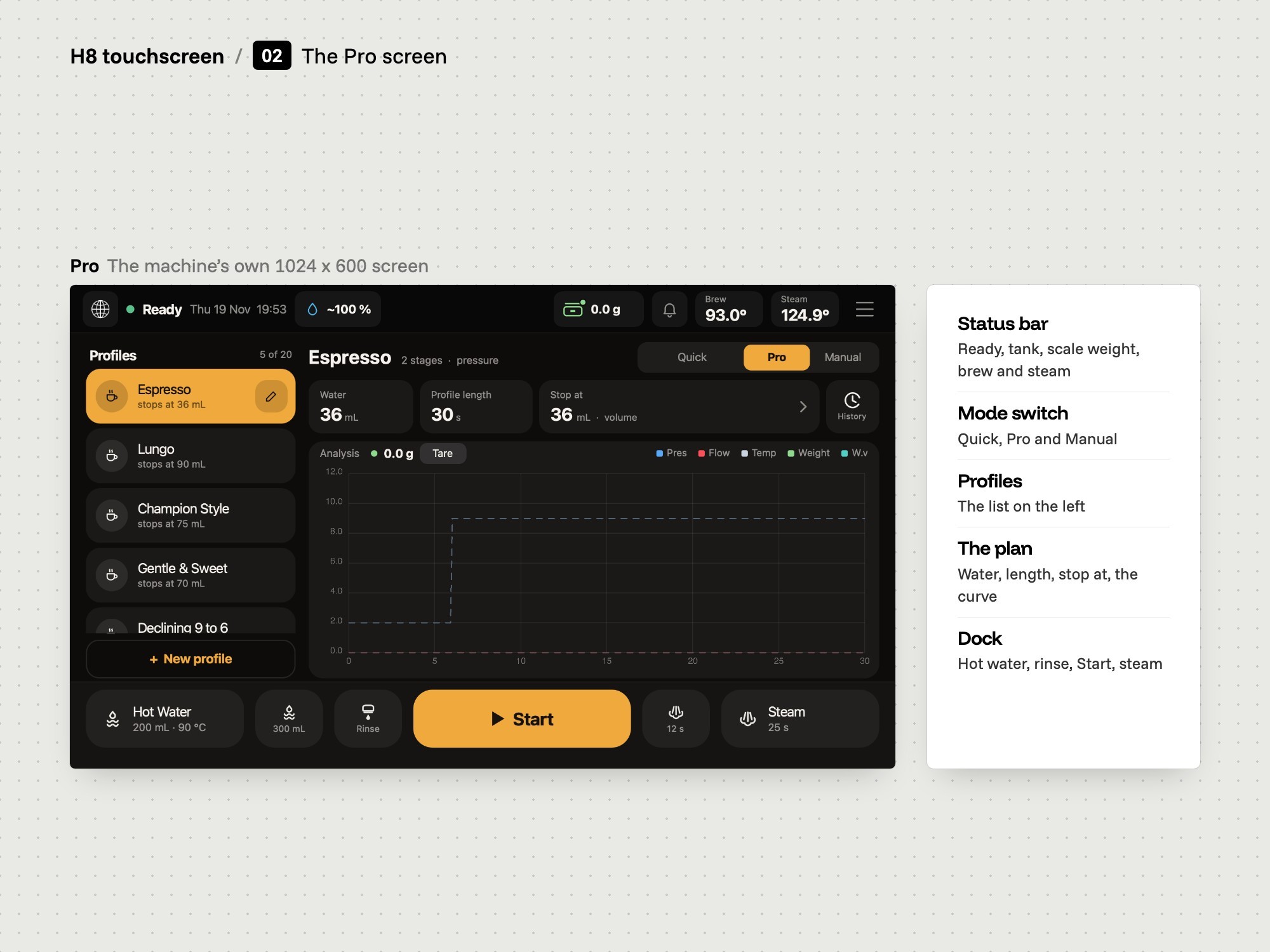
Quick, Pro and Manual sit behind one switch. Pro shows the profile and its plan. During a shot the screen draws pressure, flow, weight and temperature live, then keeps the result.
Profiles
A profile is built from stages, each with a length, a pressure or flow, a temperature and a pause. A stage can hold or ramp. The editor asks before changes are lost.
Around the shot
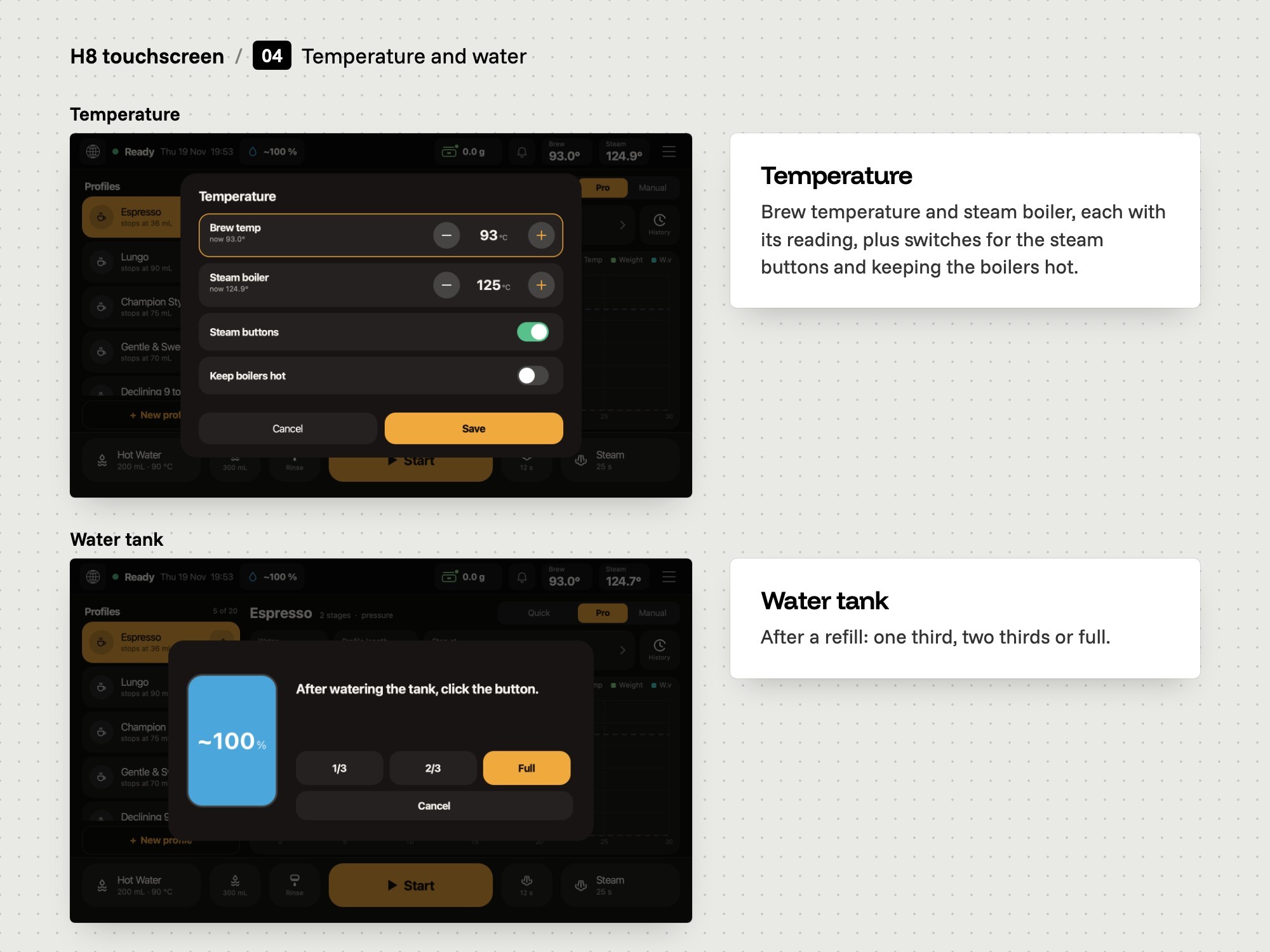
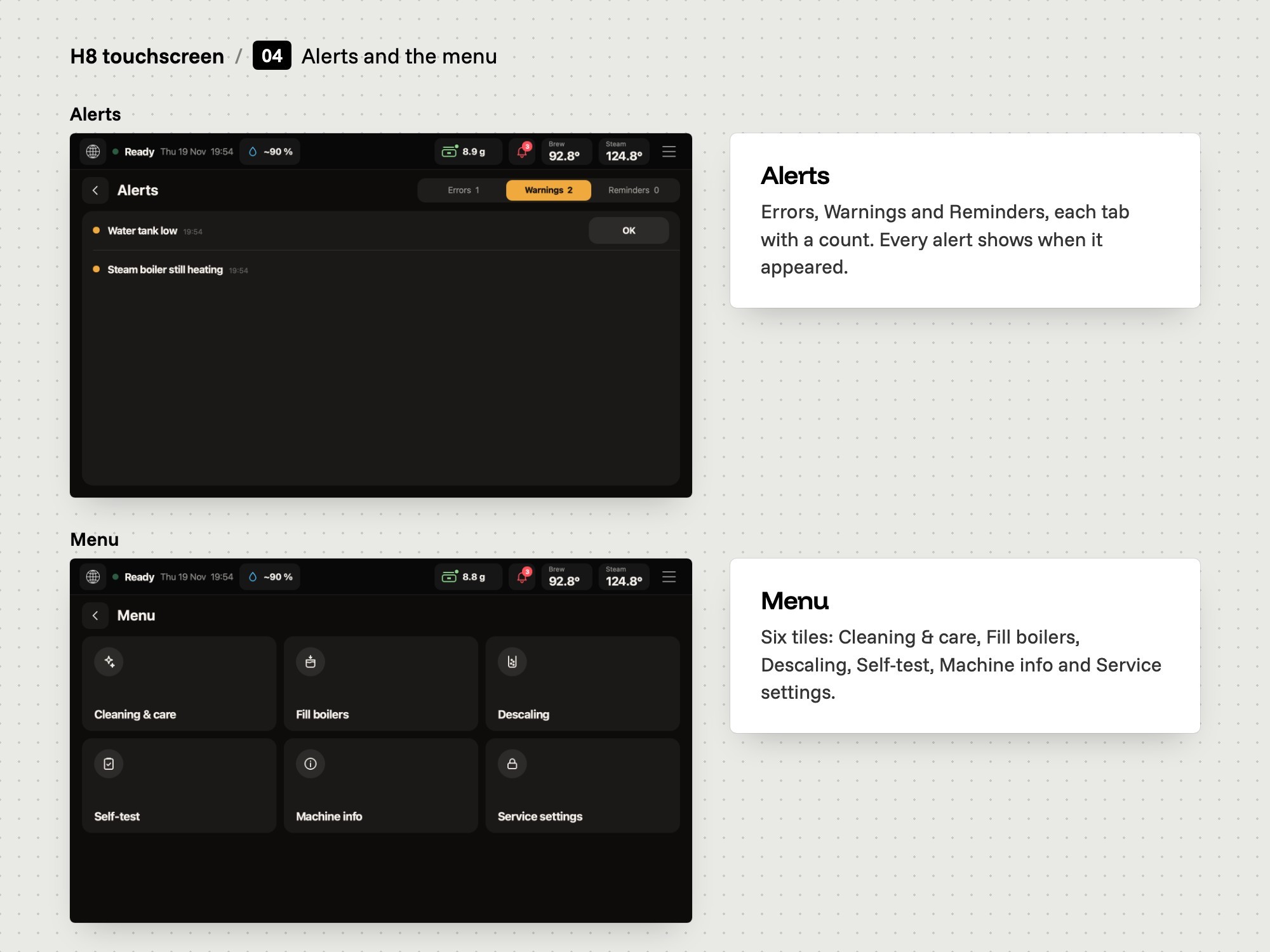
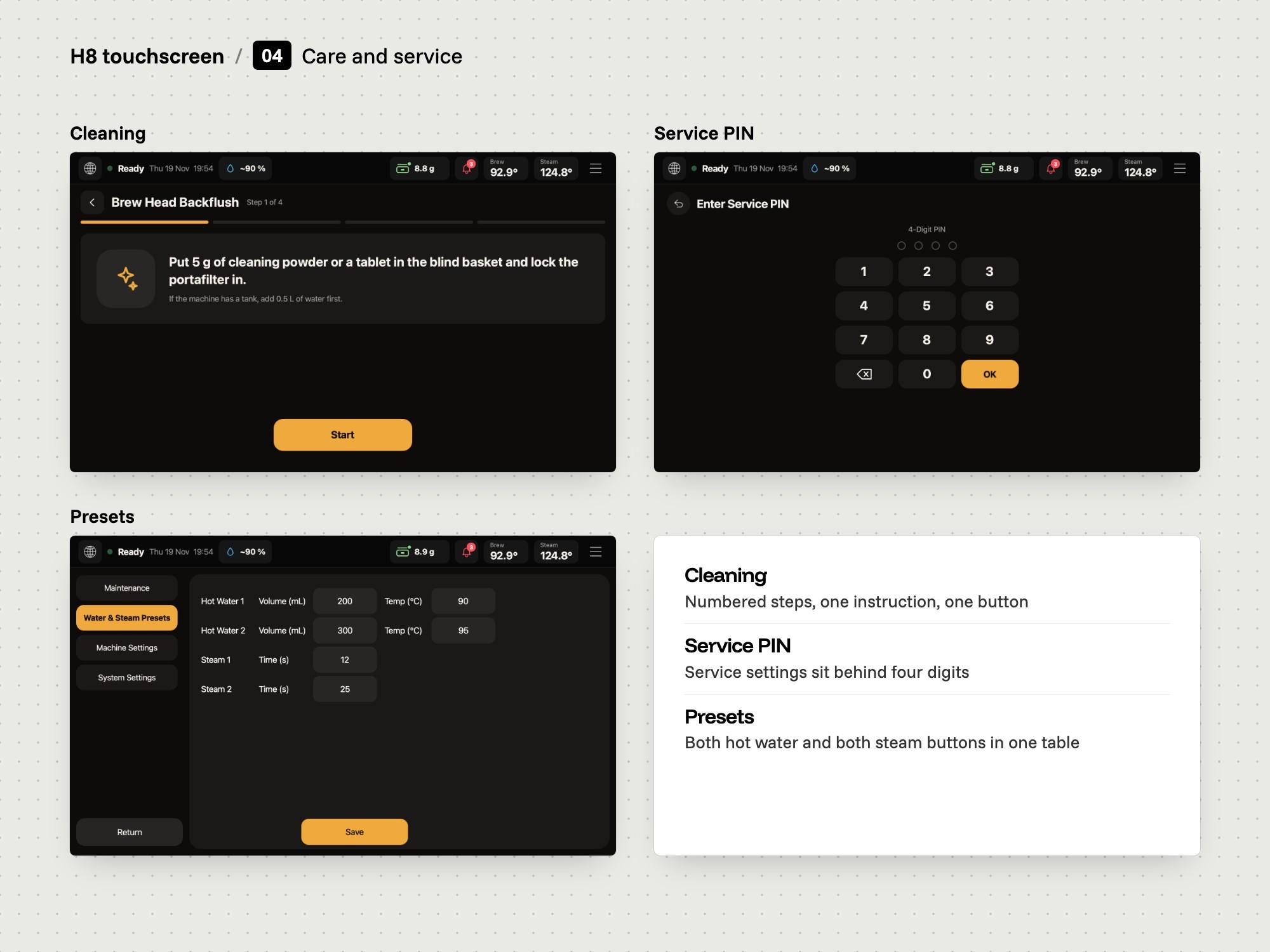
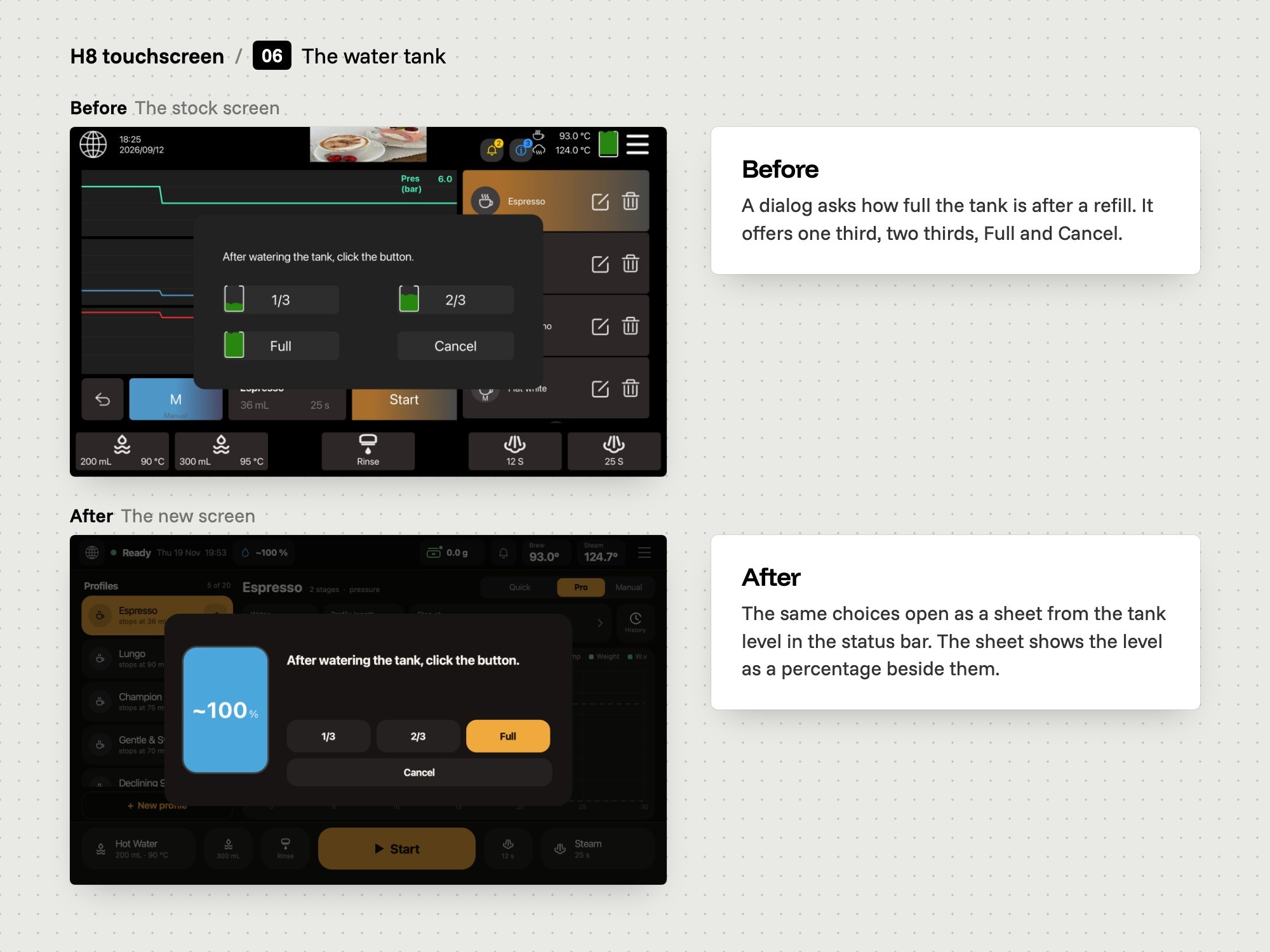
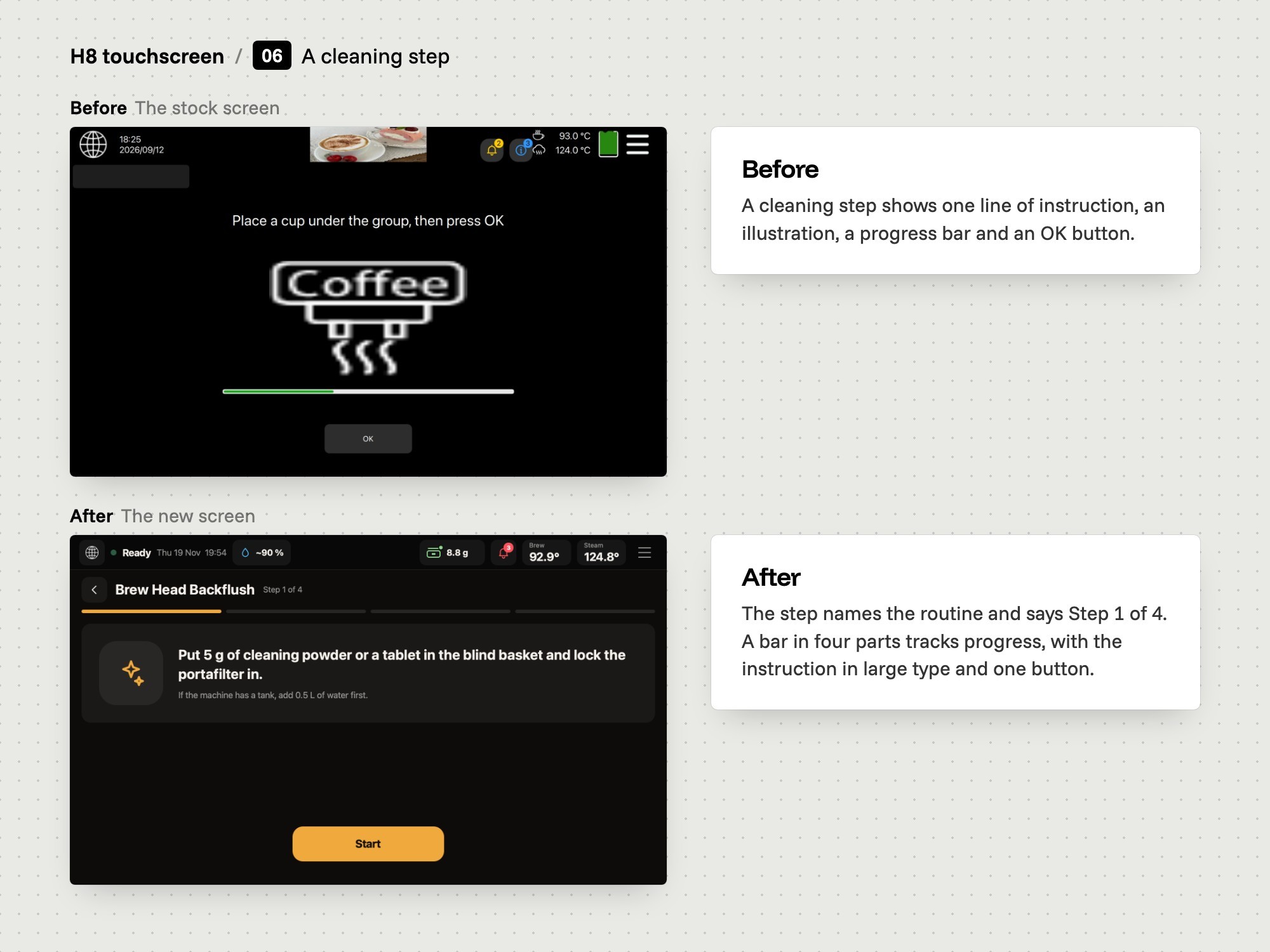
Temperature and the water tank open as sheets from the status bar. Alerts are sorted into errors, warnings and reminders. Cleaning runs as numbered steps.
Built and tested
We tested the screens in a desktop simulator that runs the same file that is installed on the machine. The newest build, from 3 November 2026, runs on the H8.
Before and after
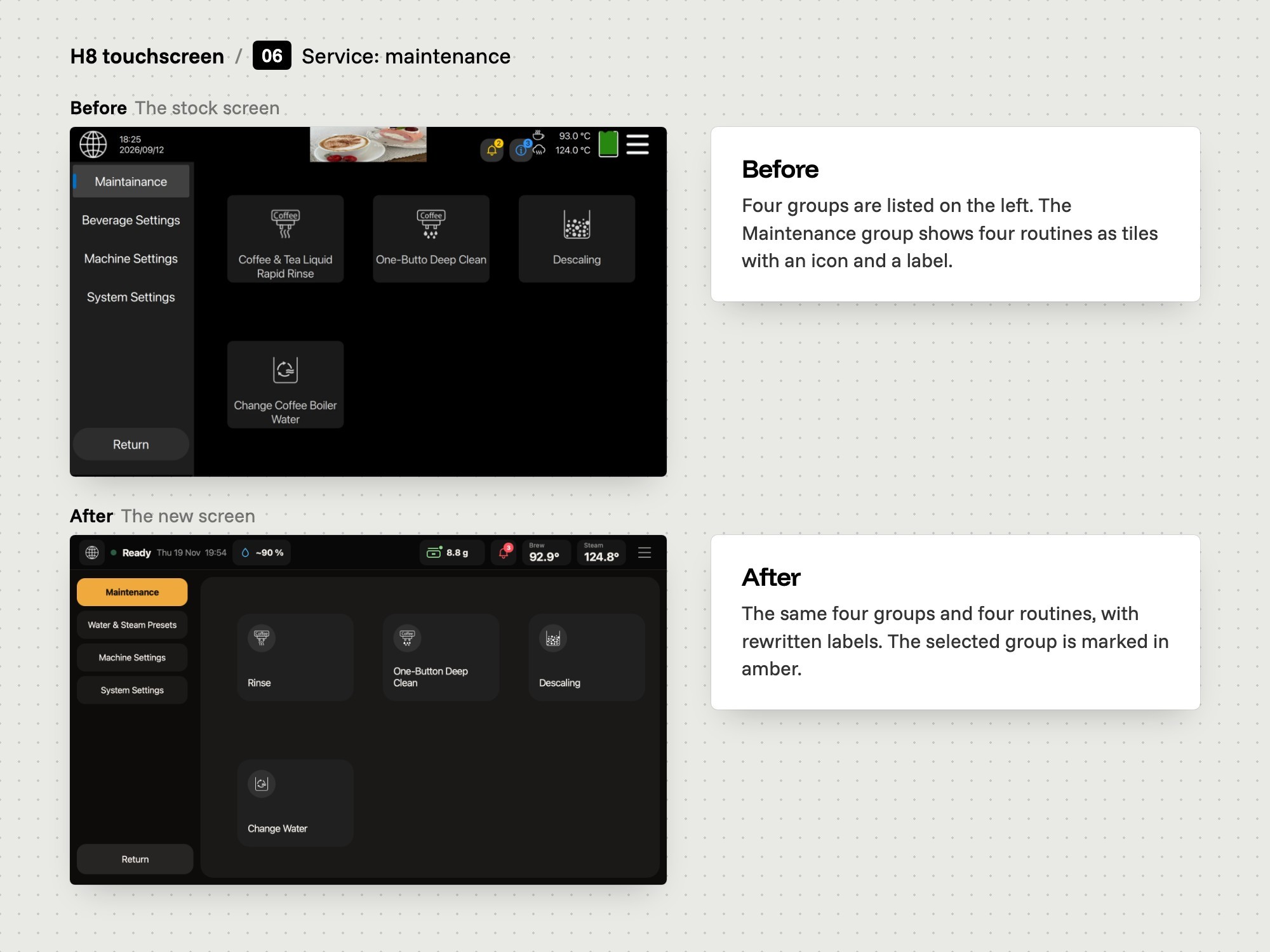
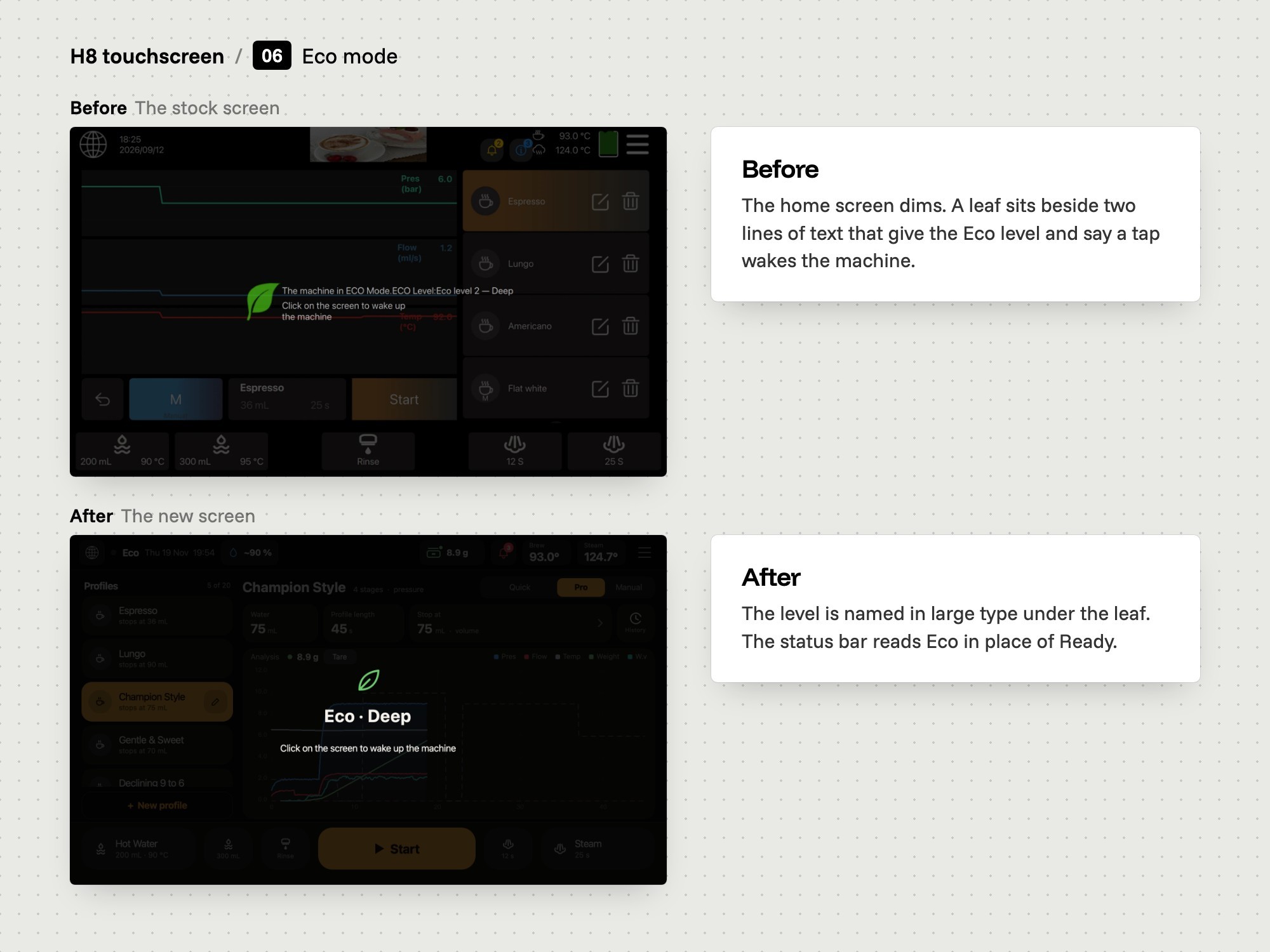
Fourteen screens of the H8, each shown twice. First the stock interface the machine shipped with, then the new interface Map It designed and built for Vellutto.
What we delivered
Brewing screens: Pro with the profile list and the planned curve, a live shot view with a result strip, Quick with one tile per drink, and Manual with a fader. A shot can stop at a volume, a weight from a Bluetooth scale, or a ratio.
Profiles: an editor with stages, hold or ramp, a preview chart, a test shot, a keypad for values and a question before changes are lost. A manual shot can be saved as a profile.
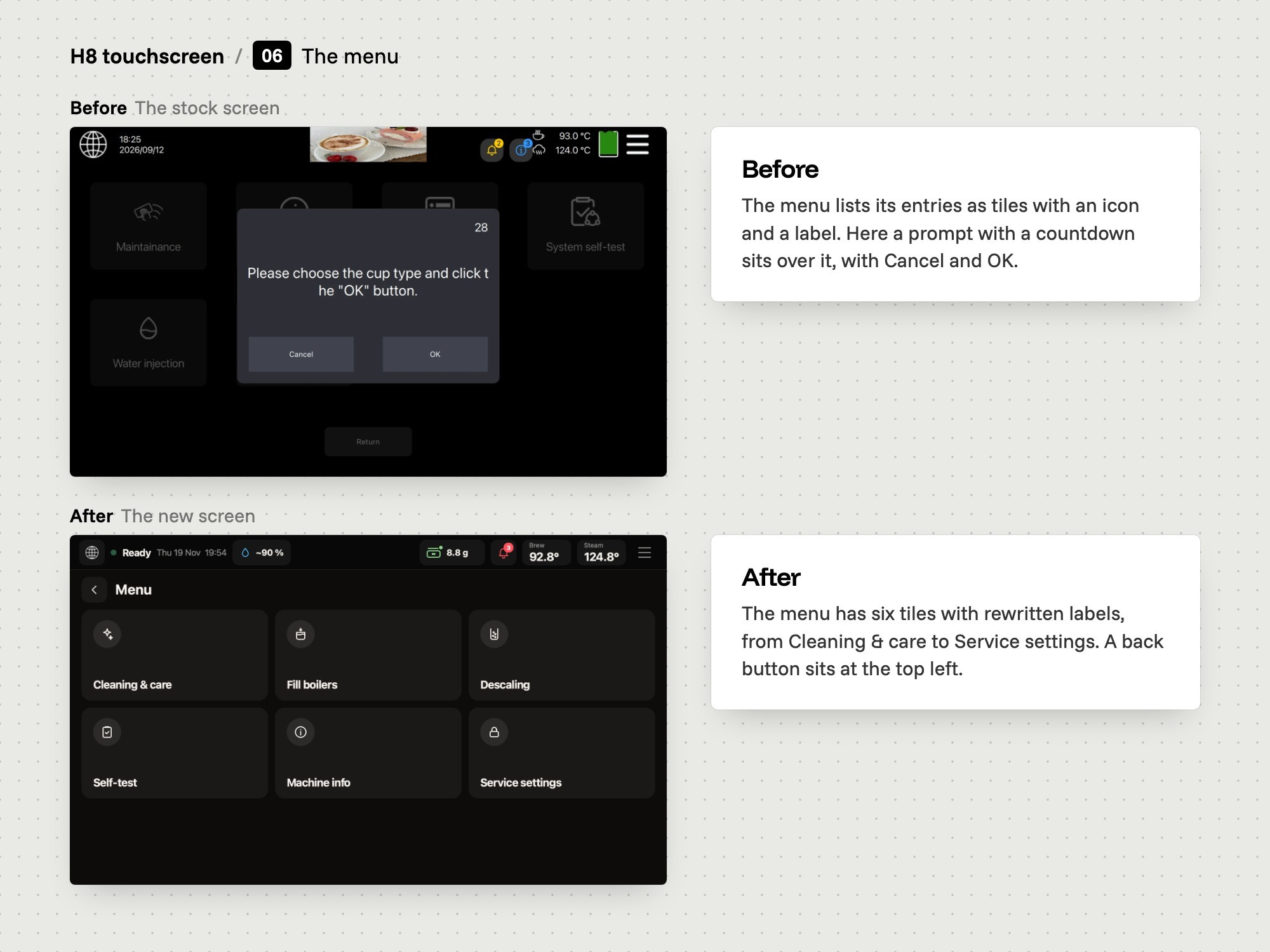
Around the shot: sheets for temperature and the water tank, alerts sorted into errors, warnings and reminders, a menu with six tiles and guided cleaning steps.
Service pages: maintenance, water and steam presets, machine settings and system settings behind a PIN, in the same look.
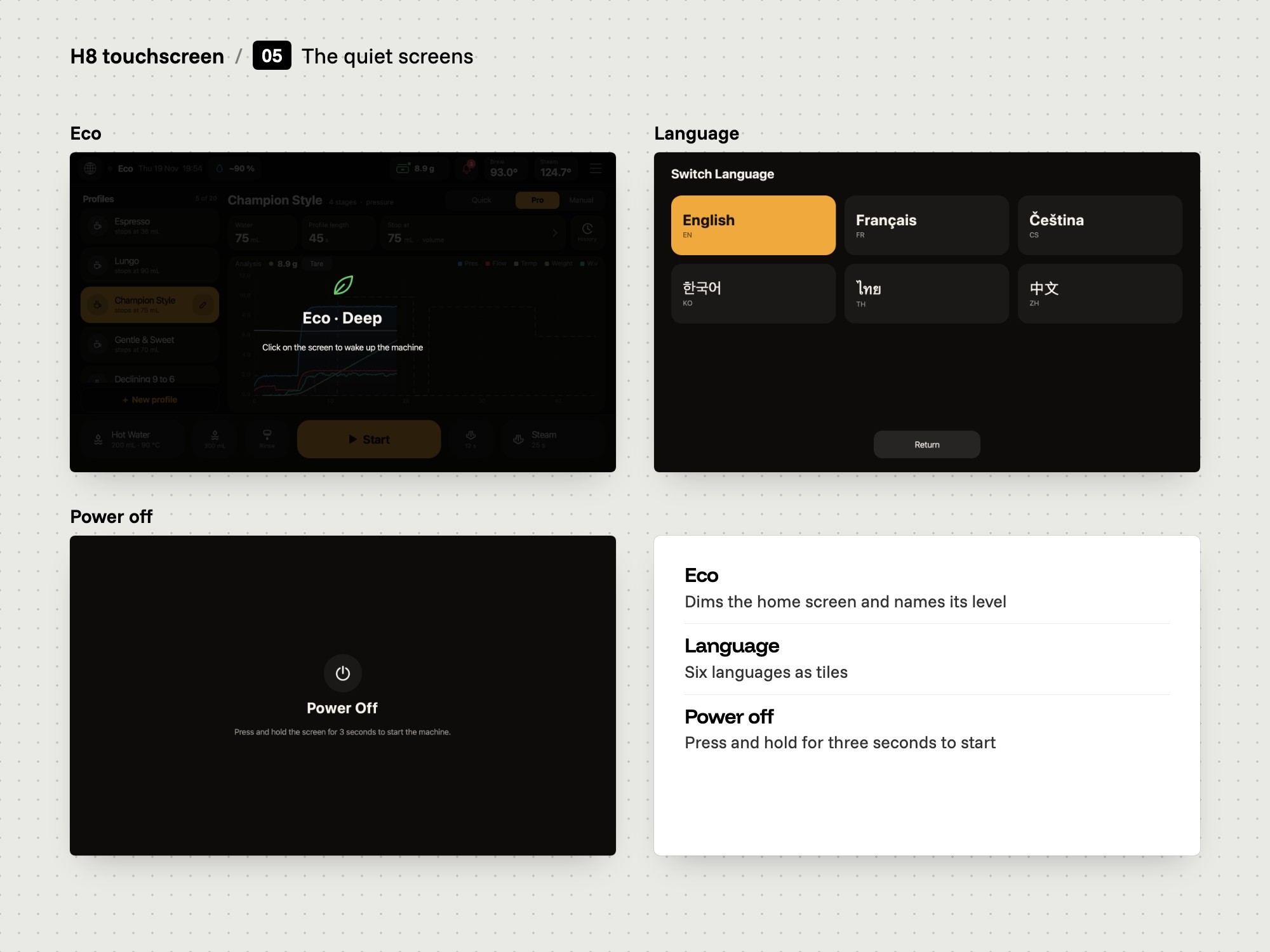
Rest states: Eco, the language screen and power off.
A desktop simulator: it runs the screens from the install package on a computer, with a simulated machine answering.
One install package: installed from a USB stick through the machine's own updater.
Where it stands
This is a trial for Vellutto. The newest build, from 3 November 2026, runs on the H8.
Credits
Map It: UX and UI design of the interface, development of the screens, the desktop simulator and testing.
Third parties: the H8 and its controller software belong to the machine's manufacturer and were not changed. The screens are written in QML for Qt 5.15, a third-party framework.